Skip to main content
ARTICLE: Adding a Printer in Windows
- Click on the Windows Start Menu on your task bar

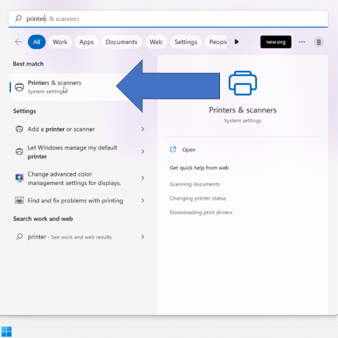
- In the search box, type Printer and then click on Printers and Scanners.

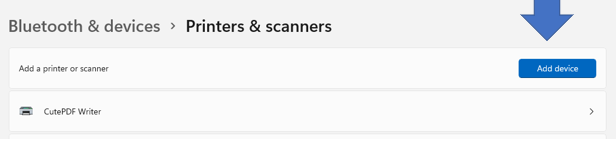
- Click Add Device.
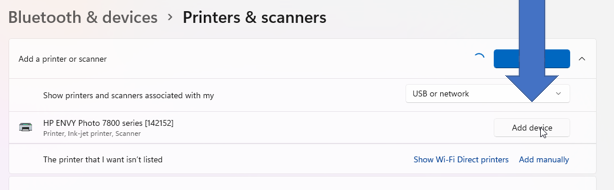
- Find the printer that you want to install and click Add Device.
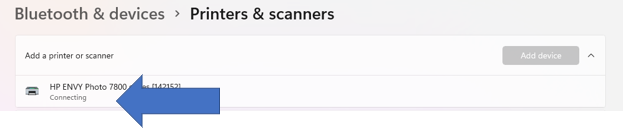
- You will see Connecting under the device name. This may take several minutes. Just wait for that status to change to Ready.
- Now you are ready to print! Please let us know if you have any questions!

Comments
0 comments
Please sign in to leave a comment.